Home Benefits Demos Customers Newsletters About Us Contact Us
Invoices at Your Fingertips


SearchExpress/Invoice Document Imaging lets you use your browser to approve and search your scanned invoices and supporting documents. No more sifting through filing cabinets and drawers of paper to find what you are looking for. Then, if you need to email or print the invoice, it's just a click of your mouse.

SearchExpress/Invoice Document Imaging reduces paper handling and save staff time by creating a searchable database with images of invoices and supporting documents.

Some of our clients use SearchExpress just as a digital filing cabinet. They scan and OCR their invoices and supporting documents with SearchExpress, and then search on the invoice number, vendor name or other number or phrase in the invoice or supporting documents to find and display the scanned image.

With this approach, you should be scanning and searching invoices within an hour of receiving the SearchExpress product.

Other clients use SearchExpress to also route the invoices to the appropriate person for approval.


Here's One Way SearchExpress/Invoice Document Imaging Can Work:

  • You scan invoices received by mail and Virtual Scan invoices received via email or fax.

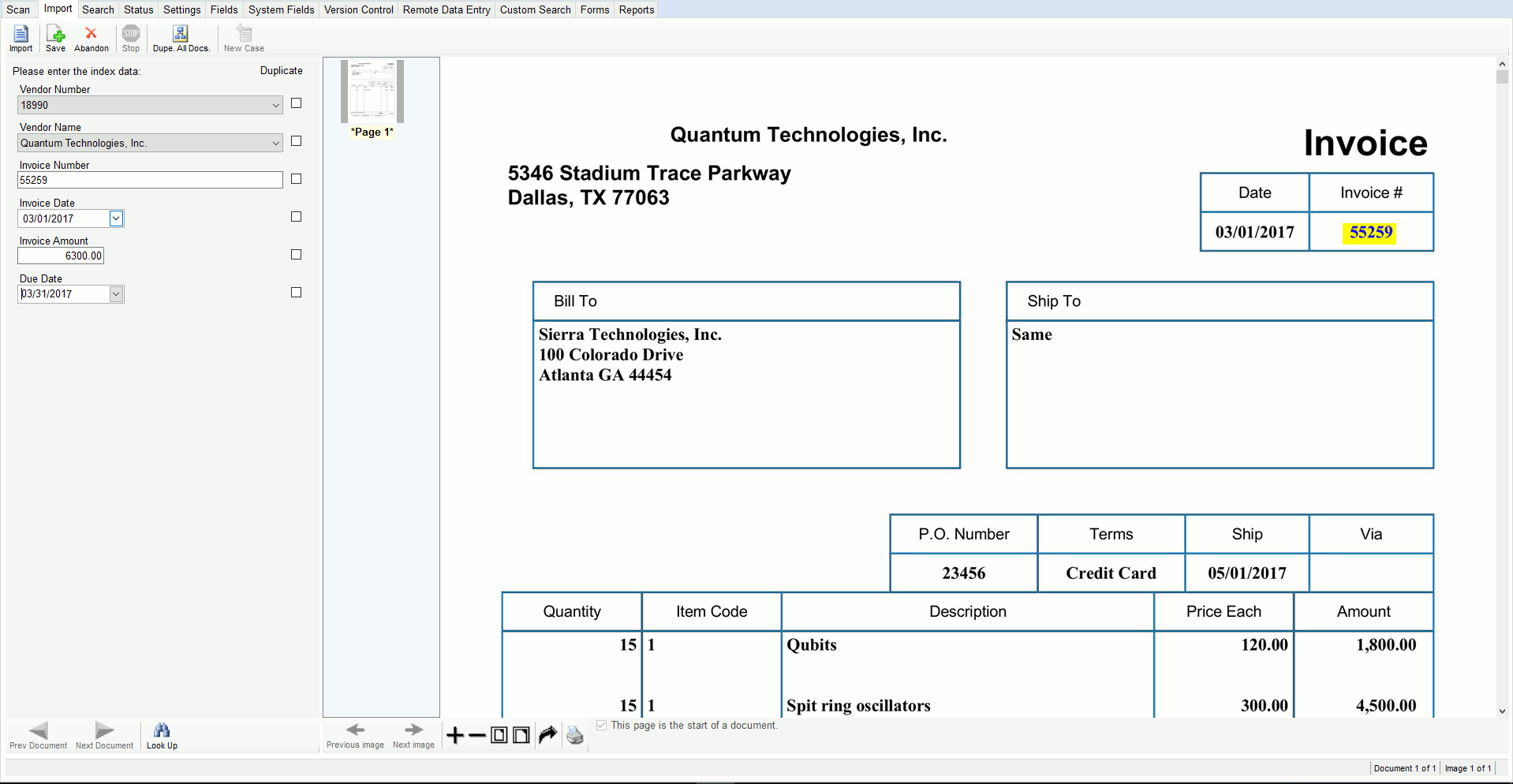
  • If you have a purchase order system, you can enter the PO number, or choose it from a pick list of open PO numbers, and SearchExpress can use the PO number to read the invoice amount, vendor name and other invoice fields from your A/P system.

  • If you do have a purchase order system, you can key the invoice data in SearchExpress, or let SearchExpress Zone-OCR the data, and SearchExpress can write the data to your AP system. You can choose data items, such as Vendor Names, from pick lists. These pick lists can be generated, in real-time, from your AP system.

  • The invoices can be automatically routed based on content, e.g., the Vendor name or Ship-to address can determine to whom the invoice is routed for approval. Or, you can manually route the invoices to different managers, by choosing the manager's name from a pick list.

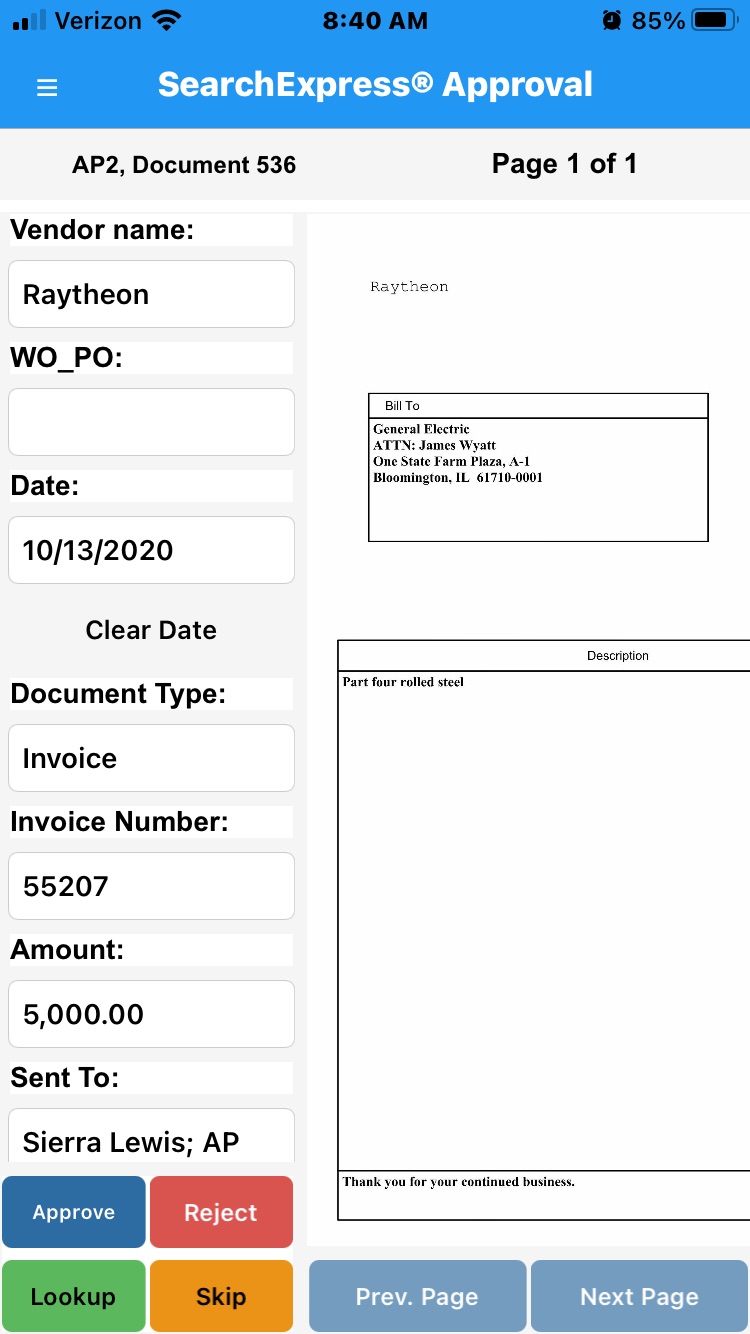
  • Each manager uses their web browser to see an "inbasket" of all invoices that await their approval. This can be done over intranet or the Internet.

  • The managers can indicate their approval by clicking the Approved button after reviewing the scanned invoice. They could also enter a cost code. The cost code is the General Ledger account to which the A/P invoice is to be expensed or capitalized. A given invoice can be expensed to multiple cost codes.

  • You can make searchable annotations (notes) to documents, and let everyone view your annotations, or you can specify particular users who can view your annotations. This helps you collaborate with others.

  • To search for invoices, you use your browser and type in the vendor name, invoice date, invoice number, check number, or other identifying information. User ID and password security is provided to ensure authorized access.

  • Also, you can search directly from any software application. For example, if you are in your A/P software, just highlight the invoice number and press a function key to perform a SearchExpress search and display the scanned invoice.

SearchExpress lowers the costs of handling and storing your A/P documents, and saves staff time by providing instant access to your invoices from other software applications.

Executive Technologies, Inc. has been developing the SearchExpress family of affordable high-performance document capture and search products since 1984.

Document imaging is now very affordable. You can store twenty million scanned pages on a $350 one terabyte (trillion byte) hard drive. That's 8,000 pages a day for ten years!

Good scanners are now also affordable. You can get a 60 page-per-minute (PPM) scanner for less than $2,000. SearchExpress also supports high-end scanners that scan over 120 pages per minute.

SearchExpress is so easy to install and use that you will not need any expensive on-site installation and training.

We guarantee your satisfaction. We always offer SearchExpress/Invoice Document Imaging software with a 30 day money-back guarantee.

To see how SearchExpress can benefit your organization, please call today to schedule your free remote demo.

For more information on SearchExpress/Invoice Document Imaging software, or to schedule your remote demo, please call us at (205) 985-7686 or click here for more information. Our email address is SxSales@searchexpress.com

 
  All rights reserved. Copyright 2008, SearchExpress® Phone: (205) 985-7686, SxSales@searchexpress.com