Resident Records · AP Approval · eForms

Affordable Document Management

SearchExpress Medical Document Management is affordable software used by Assisted Living, Skilled Nursing, and Independent Living providers to scan and search AP invoices, patient charts, EOB's, and other documents.

Get a Free Personalized Demo

SearchExpress assisted living document management

SearchExpress Features

Make Documents Omnipresent

For paper EOB's, patient charts, AP invoices and other documents, SearchExpress lets you use a scanner or MFP copier to scan.

You save emails, Word and other Office documents directly to SearchExpress, without printing or scanning them, by using a Save-to-SearchExpress menu item in Outlook and Office.

In addition to searching from your desktop PC, you can search from your iPad, iPhone or Android. This means you can access your documents wherever you are, including when in patient living rooms.

Also, you can search by highlighting a search word or phrase in your EMR system, including Allscripts, Cerner, Epic, GE Centricity, Meditech, Merge, NextGen and SuccessEHS.

Paperless eForms

Your patients and employees can complete forms over the Internet or intranet and optionally sign their signature with their finger or mouse, saving you the expense of printing and scanning and entering data written on paper forms.

The user can attach a photo or drivers license or other file to the form.

SearchExpress can also write the form data to your EMR, Practice Management or other systems and databases.

Typical eForms include:

  • Patient Registration
  • Job Applications
  • Expense Reports

See SearchExpress in Action

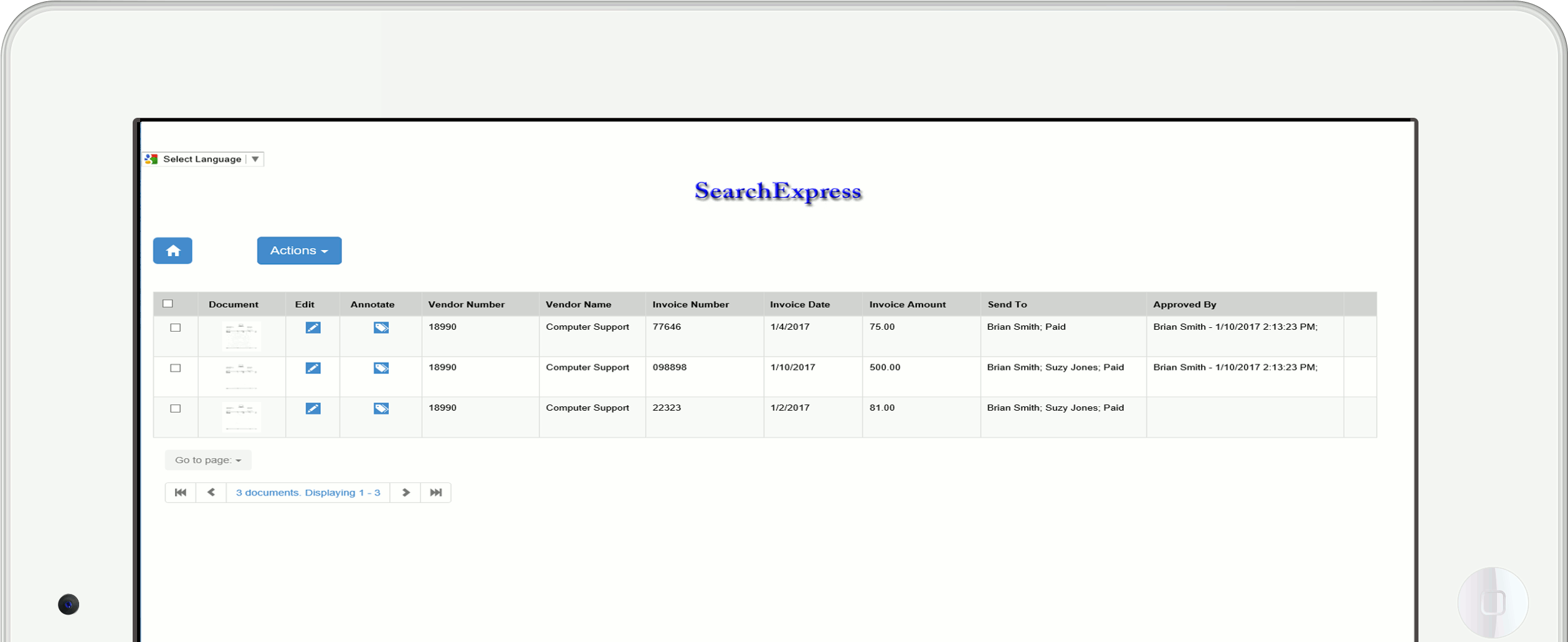
Click a button to see screen shots.

SearchExpress screenshot

Here's How SearchExpress/Medical Document Management Works:

  • Daily you scan your paper EOB's, patient charts, AP invoices and other documents, using a scanner or MFP copier.
  • SearchExpress can read, write and share data with your Practice Management system and Electronic Medical Records system. For example, while scanning medical records, SearchExpress can read the patient name and DOB from your EMR or Practice Management system.
  • Daily, SearchExpress imports your emailed, faxed and other electronic EOB's.
  • For both scanned and electronic EOB's, SearchExpress performs optical character recognition (OCR) of the EOB's, and uses the OCR text as an index to let you search your EOB's.
  • The documents are stored in a searchable database, at your site.
  • You search the EOB's and other documents by the patient name, procedure code, date range or any word or phrase in the document.
  • Or, if you have Electronic Medical Records or Practice Management software, you highlight the patient name or claim number in that software, and press a function key to display the exact page of the document for that patient name or claim number.
  • And, when viewing a page, the patient name, claim number or other search words are highlighted on the page, so your eyes are drawn directly to what you are looking for.
  • If you need to email, print or fax EOB information for one patient, you can electronically "black out" or "white out" (redact) the other patients on the page. Yes, you can finally throw away those black markers!

Testimonial

"I am happy with the product and functionality. I would be a fine reference."

Jennifer Vandivort, Sr. AccountantLa Posada · Continuing Care Retirement Community in Arizona with Assisted living and Independent Living.

Request a Free Demo

Simplify your resident records

We will create a personalized demo around your documents and your workflows.

Get a Free Personalized Demo

Or call (205) 985-7686

Home   Demos   Customers   Contact Us   About Us  
© 2026 by Executive Technologies, Inc. All rights reserved.  |  Privacy Policy